


Kids Games: For Toddlers 3-5
4.3341.00 Reviews
App Specs
- Version
- Varies with Device
- Updated On
- License
- Free
- Downloads
- 50,000,000+
- Developer
- RV AppStudios
- Categories
- Educational
- Platform
- Android, iOS
Screenshots
 Analysis by AppCompare
When I judge a game for young children, I look beyond whether it can hold their attention. I want to know whether a child can make sense of it without constant help, whether play has a learning purpose, and whether it fits into a real family routine. Kids Games: For Toddlers 3-5 is an educational game from RV AppStudios, aimed at the preschool years. Its appeal is the straightforward idea of letting young children explore learning activities through play rather than turning a phone or tablet into a miniature classroom.
That distinction matters. This is best treated as a short, supervised activity, not as a substitute for conversation, toys, books, or hands-on practice. I would use it when a child wants a little independent interaction nearby, then stay available to talk through what they see. The most useful question is not whether a toddler can spend a long time in it, but whether the child can enjoy a small session and carry the idea into the rest of the day.
What a quick session should feel like
For a preschool game, speed is less about chasing a high frame rate and more about avoiding long waits between a child’s tap and the response. A young player may tap again if nothing seems to happen, so clear feedback and simple navigation matter more than a busy screen. In my experience, I would introduce one activity at a time and watch whether the child understands what to do before handing over the device.
A practical first try is to sit together for a few minutes, demonstrate one interaction, and then let the child take a turn. That gives you a better sense of whether the game feels responsive on your particular device and whether the instructions suit your child’s current skills. If the child gets stuck, I would help with the idea rather than repeatedly taking over the screen; the goal is to make the activity feel approachable, not to finish it for them.
Where it fits into a busy day
This kind of game can work as a brief option while a parent prepares a meal, waits for an appointment, or needs a quiet moment at home. It is not a replacement for active play, and I would avoid presenting it as a reward that must be earned or as a way to keep a child occupied for an extended stretch. A short, predictable turn makes it easier to end the session without turning the device into the center of the routine.
One useful habit is to agree on the stopping point before play begins: for example, finish the current activity, then put the device away and choose a book or a toy. That is more concrete for a toddler than an abstract instruction to stop “soon.” It also lets a parent see whether the game is supporting a calm transition or making it harder for the child to move on. The right choice can vary from one child and one moment to another.
Colorful World of Learning
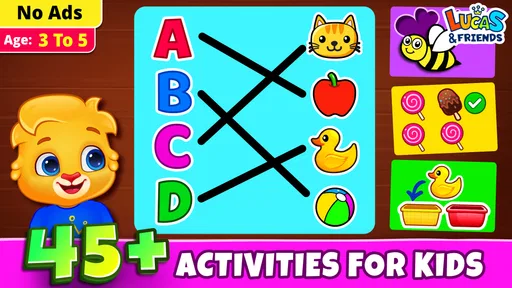
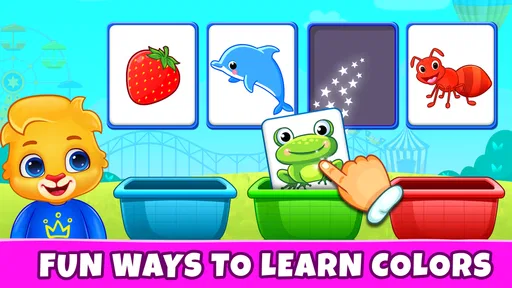
The first thing that hit me when opening Kids Games: For Toddlers 3-5 was the vibrant splash of colors. It's like stepping into a digital playground where everything is designed to grab the attention of curious young minds. From the vivid animations to the cheerful sound effects, the app does a fantastic job of creating an engaging environment for little learners.
Worth Reading Before You Choose

Baby Panda World Brings Quick Play to Modern Phones, but Its Game Library Feels Busy

ESPN’s Live Game View Makes Following Close Games Easier

QuizzLand Review: A Good Fit for Short Trivia Breaks, Not Every Player

Basketball Stars: Multiplayer Is Fast, but Can It Recover When Matches Go Wrong?

WEBTOON Turns Phone Updates Into a Better Reading Routine

Link to Windows Runs on Shared Habits, Not Social Feeds
Interactive Games Galore
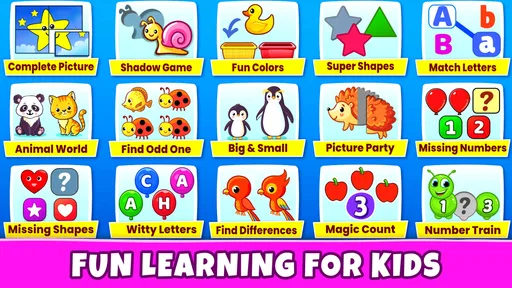
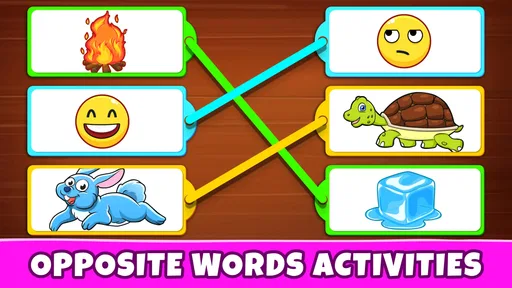
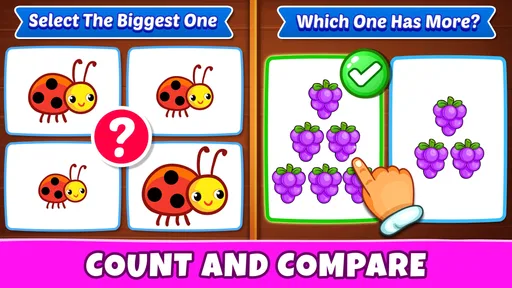
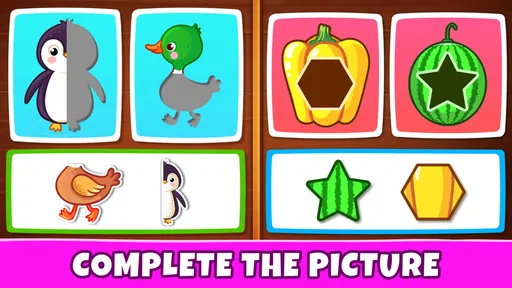
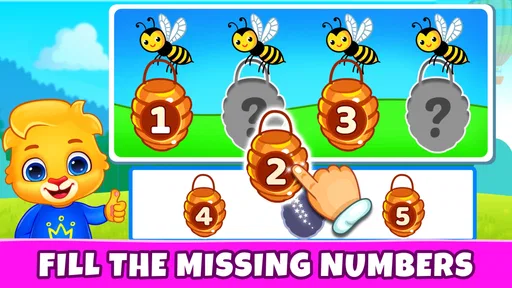
Now, onto the games themselves. The app boasts a wide array of activities tailored to toddlers. Whether your kiddo is into puzzles, matching games, or simple counting exercises, there's something here for everyone. My personal favorite was the animal matching game – watching my child giggle at the funny animal noises was priceless!
What I appreciate most is how these games are designed to boost cognitive development while keeping things light and fun. The intuitive interface means even the youngest of users can navigate without getting frustrated, which is a big win in my book.
Making the activities useful beyond the screen
With matching and counting activities, I would follow the game with a small real-world prompt instead of moving straight to another screen task. Ask a child to match a pair of socks, count a few pieces of fruit, or name an animal they just saw. This simple bridge helps you notice whether the child is recognizing the concept or mainly enjoying the colors and sounds. It also turns a solitary tap into a moment of shared attention.
There is a trade-off here: digital feedback can make an activity feel rewarding, but it cannot replace the variety of objects, movement, and conversation a child gets away from the device. If your child learns best by touching, sorting, building, or talking through a problem, use the game as a starting point rather than the whole lesson. If they are not interested in a particular activity, switching to a physical alternative is a perfectly reasonable choice.
Choosing it over other preschool options
Compared with a single-purpose counting game, a broader collection can be handy when a child’s mood changes or when you want to try different kinds of simple play without opening several apps. Compared with a physical puzzle or a picture book, though, a screen-based activity offers less tactile practice and depends on the device being available and comfortable to use. I would choose this game for a compact change of pace, but reach for a book, blocks, or a real matching task when the aim is conversation, fine-motor practice, or play away from screens.
Parents should also keep the child’s age and temperament in mind. The title points to toddlers from three to five, but children within that range can differ a lot in reading readiness, attention, and comfort with touchscreens. A younger child may need a nearby adult to explain the task, while an older preschooler may want more challenge than a simple activity provides. I would treat the age range as a starting point, not a promise that every activity will suit every child equally well.
Trust, ratings, and practical details
The game is free, has an Everyone content rating, and has reached over 50 million installs, with an average rating of 4.7 from around 51,000 ratings. Those figures suggest that many families have tried it, but popularity cannot tell me whether a particular toddler will enjoy its activities or whether they fit a family’s screen-time rules. I would still try it together first and make my own judgment based on the child’s response.
It was released on February 22, 2022, and version 1.6.8 is listed for devices running Android 6.0 or later. That minimum gives families with older Android devices a useful compatibility check, though it does not guarantee identical responsiveness across every model. I would close other demanding apps before a child’s session if the device is already struggling, keep the screen within comfortable reach, and check that the volume is appropriate for the setting.
When it may not be the right fit
I would skip this as the main choice for a child who needs richer explanations, sustained problem-solving, or a curriculum-style learning path. It is also not ideal if your household is trying to avoid screen activities altogether, or if your child becomes upset when a session ends. In those cases, a physical activity or a parent-led game is likely to work better. A general preschool collection can offer variety, but that does not automatically make it the best tool for a specific learning goal.
Before relying on the game in a waiting room or during travel, test it at home and see how your child handles both the activities and the transition away from them. A familiar activity can be useful in a short wait, but a device-dependent plan is fragile if the child is tired, the setting is noisy, or the screen is difficult to share. I would keep a small non-screen backup, such as a book or a simple toy, rather than assuming the app will solve every restless moment.
Parental Controls and Safety
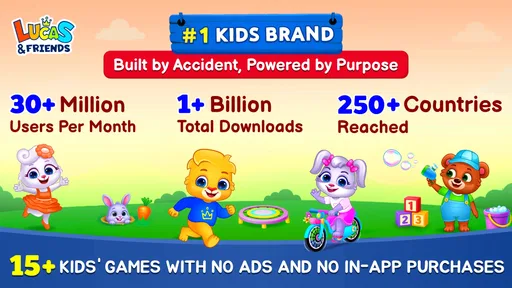
As a parent, one of my top concerns is ensuring my child stays safe online. The app developers have clearly thought this through, offering robust parental controls. You can easily set time limits to avoid screen-time overload and rest easy knowing that the app is free from pesky ads and in-app purchases.
Another cool feature is the ability to customize the difficulty level of the games. This means the app can grow alongside your child, offering new challenges as they develop their skills. It's like having a personalized learning tool at your fingertips.
How I would manage a session
For younger players, a parent can help set a comfortable pace by choosing a brief stopping point and staying close enough to answer questions. If the child is confidently navigating, step back and observe rather than prompting every move. That balance lets you see which activities hold attention naturally and which ones need explanation. It also makes it easier to notice when a child is tiring or simply ready for a different kind of play.
On performance and reliability, I would avoid promising the same experience on every phone or tablet. The game is intended for Android devices from version 6.0 onward, but age and hardware differences can affect how smoothly any app responds. If an activity pauses or the device feels sluggish, close and reopen the game once, then try a simpler session after the device has settled. If the problem keeps returning, I would not make it the plan for an important outing; choose a dependable offline activity instead.
For families considering whether it costs anything to try, the game is free. The published age classification is Everyone, while the title’s preschool focus makes adult judgment about a particular child’s readiness important. I would preview the experience with the child nearby rather than assume an age label alone answers every household’s questions about suitability or routines.
Final Thoughts
All in all, Kids Games: For Toddlers 3-5 is a delightful app that's well worth a download. It's packed with educational value, yet manages to keep things light-hearted and fun. If you're looking for an app that entertains while also giving your child a head start on their learning journey, give this one a go. Trust me, your toddler will thank you!
My overall recommendation is measured: I see it as a convenient option for occasional, shared preschool play, especially when a child enjoys colorful prompts and simple activities. I would not expect it to replace hands-on learning or suit every child equally, and I would test its feel on the device before depending on it. Used in short turns with an adult nearby, it can be a pleasant way to make a small pocket of downtime more engaging.
Pros
- Engaging and colorful graphics.
- Simple controls for young kids.
- Variety of educational mini-games.
- Parental control features.
- No in-app purchases.
Cons
- Limited content without subscription.
- Requires constant internet connection.
- Some ads may be distracting.
- Limited language support.
- May not challenge older kids.
FAQs for Kids Games: For Toddlers 3-5
What age group is Kids Games: For Toddlers 3-5 suitable for?
Kids Games: For Toddlers 3-5 is specifically designed for children aged 3 to 5 years. The app includes interactive games that are developmentally appropriate, focusing on building foundational skills such as problem-solving, creativity, and hand-eye coordination. Parents can rest assured that the content aligns with early childhood learning standards.
Are there any in-app purchases or advertisements?
Kids Games: For Toddlers 3-5 is free to download but may include in-app purchases to unlock additional content or features. It is essential to check the app settings to manage purchases. While some versions might have ads, there is typically an option to remove them through a paid version, ensuring an uninterrupted experience for your child.
Is an internet connection required to use the app?
Kids Games: For Toddlers 3-5 can be used offline, making it ideal for travel or situations where internet access is limited. However, some features or updates may require an internet connection, so it is advisable to check for any updates before going offline to ensure the best experience for your child.
How does the app ensure my child’s safety and privacy?
The app is designed with child safety in mind, adhering to strict privacy standards. It does not collect personal data without parental consent. Parents should review the app’s privacy policy to understand data handling practices and ensure that the app is configured to provide a safe environment for their child.
What educational benefits does Kids Games: For Toddlers 3-5 offer?
Kids Games: For Toddlers 3-5 offers a range of educational benefits, including enhancing cognitive skills, improving fine motor skills, and fostering creativity. The games are designed to be fun and engaging, encouraging learning through play. Parents can track progress and customize activities to align with their child's learning needs.


